

Why Choose Prevision Interactive LED Floors
- Factory-direct supply and project quotations.
- Floor layouts planned around your venue.
- Installation support and remote software guidance.
- Matching spare parts for local servicing.
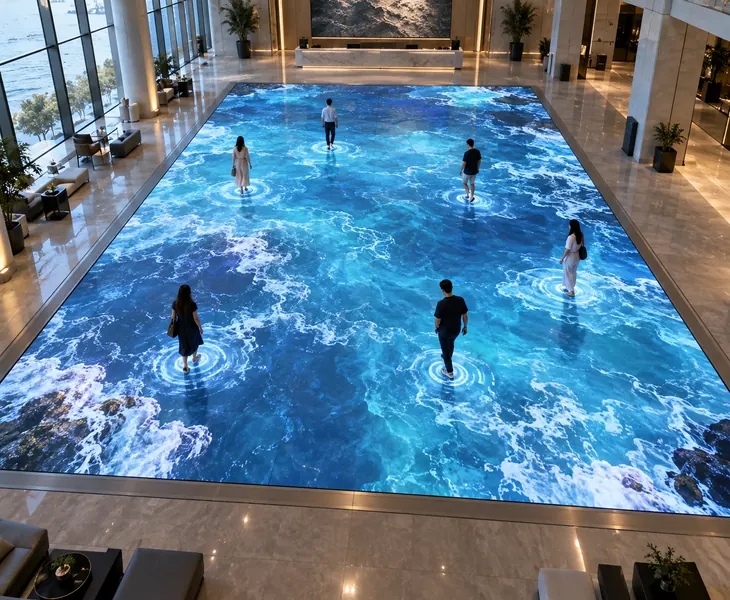
An Interactive LED Floor for Your Venue
A Prevision TF Series interactive LED floor responds to visitors’ steps. You can use it for hands-on exhibits, retail promotions and event activities, with a layout sized for the available space.
Compare pixel pitches using the same floor dimensions. The specification section includes an 8 × 6 m example showing how each option changes the available image detail.
Send your floor dimensions, preferred shape and venue photos. Prevision can use these to plan the cabinet layout, control equipment and content requirements for the activity.
Interactive LED Floor Layouts
Choose a layout for your usable floor area using 1,000 × 500 mm cabinets or customized any cabinet size .
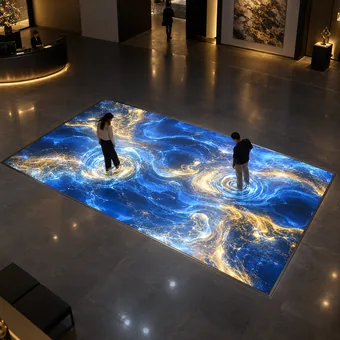
You can fill square or rectangular areas with regular cabinet rows, creating one continuous display for an exhibition stand, activity zone or dance floor.
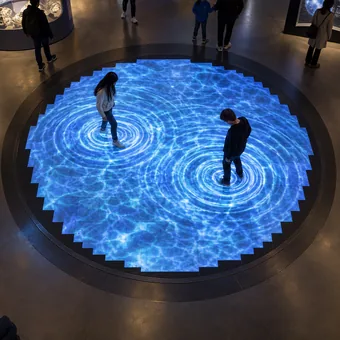
Build a circular layout with stepped cabinet rows and a shaped perimeter finish. The layout drawing shows the active LED area and finished outer edge.
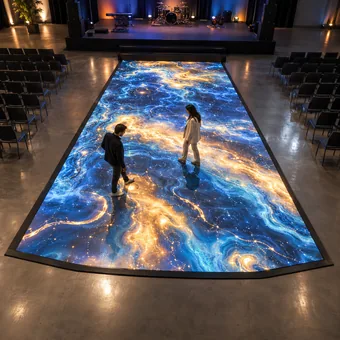
Vary the number of cabinets in each row to form a tapered layout for a stage extension or a display that widens toward the audience.

Create a straight or L-shaped route around your exhibit, with interactive effects mapped along the walking path.
Interactive LED Floor For Your Applications
Match the content to what you want visitors to do in each space.

Let shoppers reveal a logo or join a short stepping game. Keep a separate route around the display so other customers can pass.

You can turn a museum route into an interactive story, revealing wildlife, historical scenes or discoveries as visitors walk across the floor.

Place an interactive product demonstration at the front of your stand. Use brand graphics and short activities to introduce the product before a presentation.

Match floor graphics to your performance or audience activity. Rehearse them with the stage lighting and camera positions before the event.

Change the floor theme for weddings, dinners or brand events. Leave a clear area for guests to participate, with tables outside the active zones.
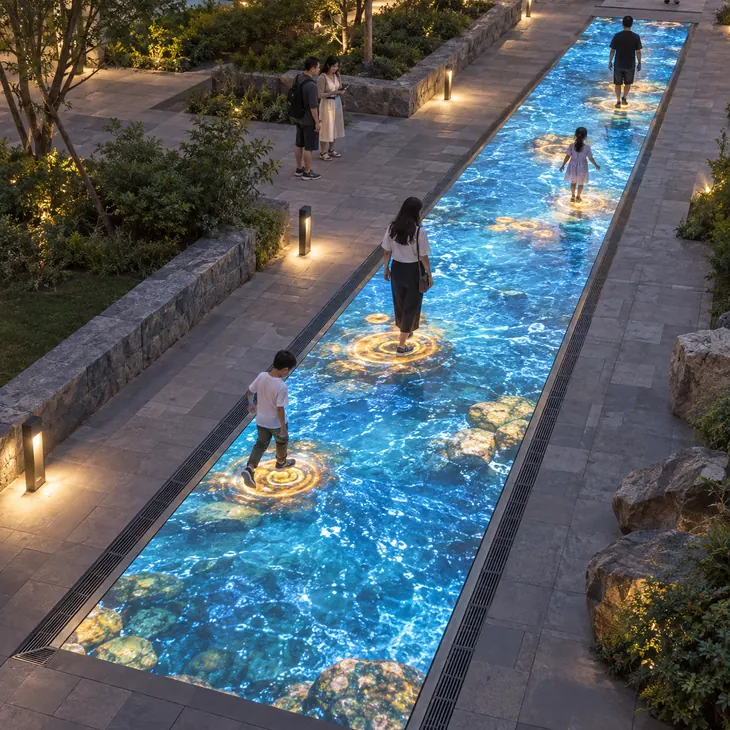
Add a themed route to an outdoor attraction. Plan drainage and protected connections, then test the graphics in the venue’s daylight conditions.
Prevision Interactive LED Floor Key Advantages

Choose the pixel pitch for your image requirements. All TF Series options include sensing chips, so the interactive hardware is standard.

Load-bearing cabinets support walkable stages, dance floors and exhibition areas when installed with the specified frame and feet.

The PC mask separates foot contact from the LEDs, protecting the display components beneath the walking surface.

You can access the service section from above with the specified suction tool, keeping the surrounding floor in place.

Reuse standard cabinets when your layout changes. Adjust the floor size in cabinet increments and update the display and sensor maps.

Plan long-term use with routine cleaning and component servicing. Actual lifespan depends on operating temperature, brightness settings and maintenance.
Interactive LED Floors with Built-In Sensors
With a Prevision TF Series interactive LED floor, you can make a step trigger a ripple, reveal a logo or activate a game target. Compatible software connects the sensing input to the effect at that position. Choose the effects around the activity you want visitors to join.


LED Floors for Interaction and Video
You can use the Prevision TF Series LED floor for both audience activities and prepared video. Switch between interactive software and a video source to suit your event programme. Confirm the software, source connections and playback controls when ordering, so the same floor can serve each part of the event.
Prevision Interactive LED Floor Installation Cases
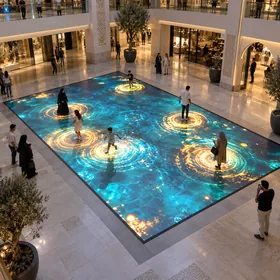
A shopping mall in Casablanca, Morocco wanted to create an interactive advertising zone in its central atrium. Traditional printed floor graphics attracted limited attention and had to be replaced whenever a new campaign started. Prevision configured a P3.91 Interactive LED Floor measuring 6 × 4 meters, with a resolution of 1536 × 1024 pixels. The interactive sensing system responds to visitors’ movement, allowing footsteps to trigger visual effects, brand graphics, and promotional content.
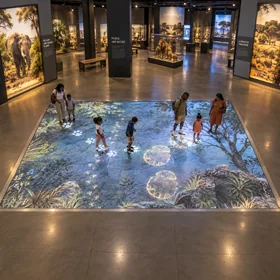
A science museum in Nairobi, Kenya needed a more engaging way to present educational content to children and families. Conventional wall displays provided information but offered limited visitor participation. Prevision installed a P3.91 Interactive LED Floor Screen measuring 5 × 3 meters, with a resolution of 1280 × 768 pixels. Visitors can trigger animations and educational effects by walking across the display, turning the floor into part of the exhibition experience.
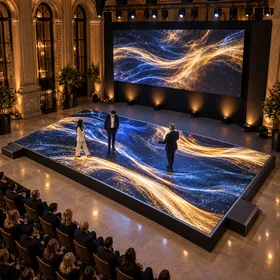
An event production company in Bucharest, Romania required a reusable digital floor for product launches, corporate events, and branded experiences. Printed event flooring could only be used for one campaign and was expensive to reproduce for every client. Prevision provided a P2.97 Interactive LED Floor Display measuring 8 × 4 meters, with a resolution of 2688 × 1344 pixels. Digital branding, animation, and interactive effects can be changed for each event without replacing the physical floor.

A family entertainment center in Penang, Malaysia wanted to add a more engaging digital attraction for children and families. The customer needed one floor-based system that could support different games and visual effects without installing multiple pieces of entertainment equipment. Prevision configured a P3.91 Interactive LED Floor measuring 5 × 5 meters, with a resolution of approximately 1280 × 1280 pixels. The interactive sensing system responds to visitors’ footsteps and movements, allowing different games, animations, and visual effects to run on the same LED floor.

An exhibition center in Lima, Peru wanted to create a more immersive visitor experience for digital art, cultural exhibitions, and temporary installations. Conventional wall-mounted screens limited the visual experience to one viewing direction. Prevision configured a P3.91 Interactive LED Floor measuring 7 × 3.5 meters, with a resolution of 1792 × 896 pixels. The floor becomes part of the visual environment, allowing visitors to walk through animated content and trigger interactive effects through movement.
TF Series Interactive LED Floor Specifications
- TF Series Models
- Shared Cabinet and Display Specifications
- Pixel Pitch and Resolution for an 8 × 6 m Floor
- Interactive LED Floor or Conventional Video Floor
Compare the TF Series pixel-pitch options below. Pitch names are nominal; use the cabinet pixel counts to calculate screen resolution.
| Pixel pitch | LED type | Module pixels | Cabinet pixels | Scan |
|---|---|---|---|---|
| P2.97 | SMD1415 | 84 × 84 | 336 × 168 | 1/21 |
| P3.91 | SMD1921 | 64 × 64 | 256 × 128 | 1/16 |
| P4.81 | SMD1921 | 52 × 52 | 208 × 104 | 1/13 |
| P5.2 | SMD1921 | 48 × 48 | 192 × 96 | 1/12 |
| P6.25 | SMD1921 | 40 × 40 | 160 × 80 | 1/10 |
| Parameter | TF Series specification |
|---|---|
| Cabinet size W × H × D | 1,000 × 500 × 75 mm |
| Module size | 250 × 250 mm; 8 modules per cabinet |
| Cabinet material / weight | Iron cabinet / 18 kg per cabinet |
| Load capacity | 2,000 kg/m² |
| Interactive sensing | Built-in sensing chips; standard across the TF Series |
| Maintenance | Front service, accessed from the floor surface |
| Ingress protection | IP65 as specified for the product |
| Brightness / contrast ratio | ≥2,500 nits / 4,000:1 |
| LED refresh rate | 1,920 or 3,840 Hz; specify the selected configuration |
| Processing / grayscale | 14 or 16 bits / 16,384 or 65,536 levels |
| Viewing angle | 140° horizontal / 140° vertical |
| Colour temperature | 4,500–8,500 K, adjustable |
| Display control | Synchronous |
| LED display lifespan | 100,000+ hours |
Follow the specified support arrangement; check concentrated loads separately.
Example: 8 columns × 12 rows of 1,000 × 500 mm cabinets form an 8 × 6 m floor. Multiply the cabinet’s horizontal pixel count by 8 and vertical count by 12.
| Pixel pitch | Screen resolution | Content selection guide |
|---|---|---|
| P2.97 | 2,688 × 2,016 | Finer product graphics, detailed symbols and closer inspection |
| P3.91 | 2,048 × 1,536 | Branded animations, stepping targets and event graphics |
| P4.81 | 1,664 × 1,248 | Large visual effects and medium-detail video |
| P5.2 | 1,536 × 1,152 | Broad paths, large targets and short messages |
| P6.25 | 1,280 × 960 | Large colour effects and bold shapes |
Calculated example, not an installed project or size limit. Circular and trapezoidal layouts need their own pixel and sensor maps. Screen pixels do not specify sensing-point count.
| Buying consideration | TF Series interactive LED floor | Conventional video floor without sensing |
|---|---|---|
| Response to footsteps | Sensor input can trigger content at the contact area. | Video runs independently of where people step. |
| Control equipment | Matched LED control plus a compatible sensor interface and interactive software. | LED control and a suitable video source for playback. |
| Content preparation | Define trigger areas, visual responses and any game rules. | Prepare video to match the floor’s pixel canvas. |
| Installation setup | Configure both cabinet order and the interaction map. | Configure cabinet order and video output. |
| Best fit | Participation, branded activities and interactive exhibits. | Choreographed performances and continuous background video. |
Compare load capacity and weather protection separately; interactivity describes how content responds to sensing.
Customer Reviews
The Interactive LED Floor attracts much more attention than our previous printed floor graphics. Visitors actively engage with the effects, and we can update campaign content without replacing the physical floor.
Youssef El AmraniThe Interactive LED Floor Screen has made our exhibition much more engaging for children and families. Visitors can interact with the content simply by walking across the display.
Brian MwangiThe Interactive LED Floor Display gives us much more flexibility for different events. We can change branding and visual effects for each client without producing new printed flooring every time.
Andrei PopescuThe Interactive LED Game Floor has become one of the most popular attractions in our entertainment area. We can run different games and effects on the same floor without adding more equipment.
Daniel TanThe Immersive LED Floor has completely changed how visitors experience our digital exhibitions. People can walk through the visual content and interact with the effects instead of only watching a wall screen.
Carlos Mendoza
Your installation team can assemble the floor in four steps:
- Build the steel support frame to the approved layout and reserve cable routes.
- Fit the support feet and level every support point.
- Position and secure the cabinets, then connect power and signal cables.
- Configure the screen and sensor map, then walk-test the effects.
Allow extra height for the supports and cable space; 75 mm is the cabinet depth.
Yes. You can play existing videos and use brand graphics in interactive content. To make an image respond to footsteps, the software must link sensor input to the chosen effect. Confirm the content format and software licence with the proposed system.
For detailed logos or nearby viewing, choose P2.97 or P3.91. P4.81–P6.25 suit larger shapes and broad visual effects. Compare your content at the planned floor size before choosing; a finer pixel pitch improves image detail but does not automatically add more sensing points.
Test your intended content with the expected number of participants. Step across cabinet joins and trigger several areas together to check response and positioning. Ask for the system’s measured interaction delay; LED refresh rate alone does not tell you how quickly an effect follows a step.
Provide the weight, contact area and support positions for your equipment or display plinths. Narrow legs and wheels concentrate force, so their loading must be checked separately from the floor’s area load rating.
Yes. The TF Series specification lists outdoor use and IP65 protection. Your installation needs drainage and protected electrical connections. Check content visibility in the site’s daylight conditions, and keep the floor clear of standing water; IP65 does not cover immersion.
Yes. Your technician can lift the service section from above with the specified suction tool. Keep matching spares and a backup of the display and sensor maps so the affected area can be repaired without dismantling the surrounding floor.
You receive a three-year warranty, with coverage and service arrangements stated in your order. The LED display lifespan is a separate specification; power supplies, controllers and sensing components may need servicing or replacement during the display’s operating life.
Your quotation should list cabinets, sensing and control equipment, the content computer, software, agreed effects, cables and spares. Show the support structure, finishing, freight and installation separately. For custom games, include the rules, participant count and content handover requirements.
Related Products
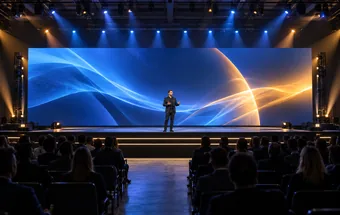
Add stage backdrops and event screens designed for repeated assembly and transport.
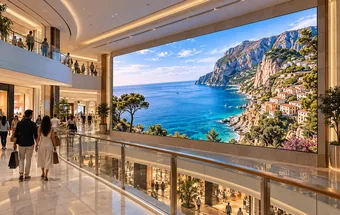
Pair the interactive floor with a wall screen for presentations and visitor instructions.
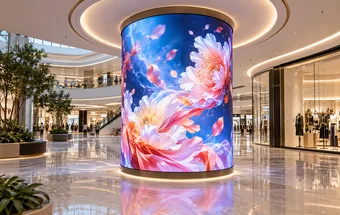
Extend exhibit graphics onto curved walls and columns around the floor installation.
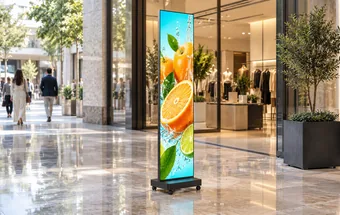
Place welcome messages, activity instructions or promotional content beside the interactive area.
Add outdoor signage where visitors need information before entering the interactive floor area.