

Why Choose Prevision Sphere LED Displays
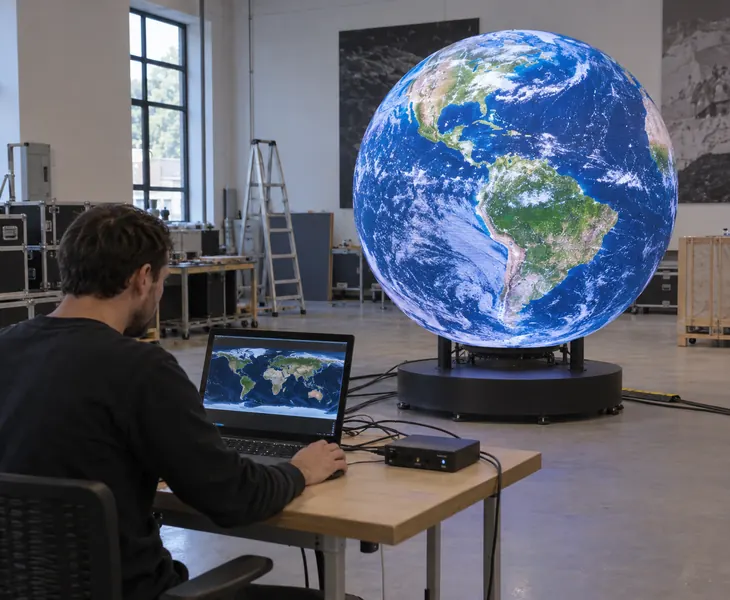
- Full-screen trial assembly matching your installation shape and mounting layout.
- Burn-in testing with the complete display connected.
- Screen mapping, controller and playback settings configured before shipment.
- Ready to play after on-site assembly and cable connections.

A Sphere LED Display Shaped for Your Project
A sphere LED display wraps a three-dimensional surface with LED modules. Visitors see the image facing them as they move around it. Prevision supplies full spheres and customised partial spheres for exhibition features, commercial interiors and outdoor installations.
Start with the available space and the nearest viewer. The diameter sets the physical scale; pixel pitch determines how much detail fits on the surface. For a wall feature, a hemisphere or shallow cap can provide the curved appearance within less depth.
Send the intended diameter, site photos and sample content. We can match the screen geometry, mounting arrangement and control system to your project.
Prevision Sphere LED Display Configurations
Choose the display shape first, then the viewing direction and mounting position. Partial spheres are made to the project dimensions.
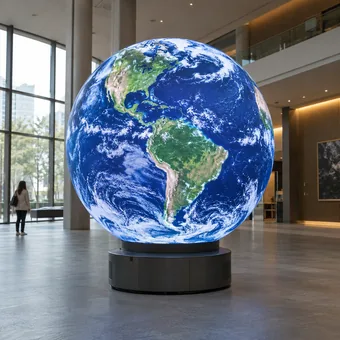
Use a complete globe where visitors approach from several directions. Choose floor support or suspension to suit the viewing height and available space.
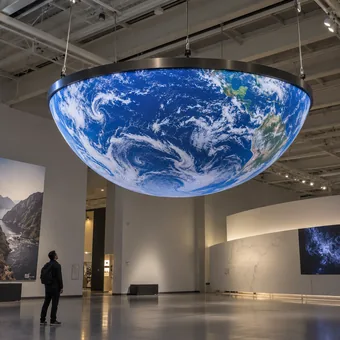
Choose half a sphere for a dome or curved wall feature. Its depth is half the parent sphere diameter, before mounting hardware.
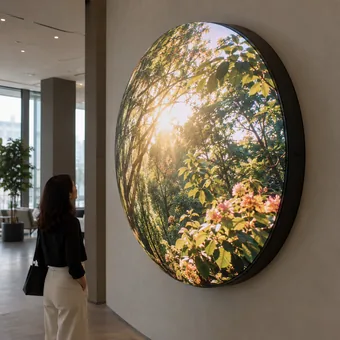
Specify a smaller portion of the sphere when installation depth is limited. Set the opening diameter and cap height to define the curved profile.
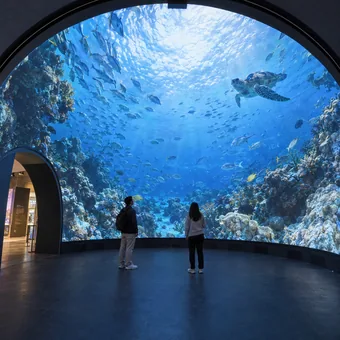
Place the LED surface on the inside for viewers within the structure. Modules are removed from the inner viewing side for maintenance.
Sphere LED Display For Your Applications
Match the content to what visitors need to see as they approach and move around the display.
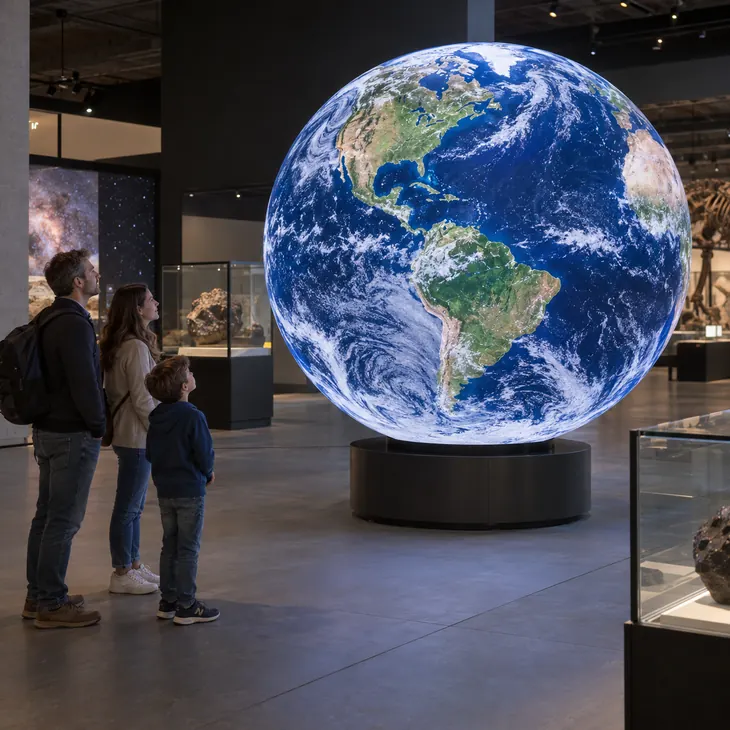
Show Earth, planetary surfaces or changing weather patterns on a digital globe. Map the imagery to the sphere so geographic features meet across the wrap.

Suspend a sphere above an atrium to keep the floor clear. Repeat campaign graphics around it for shoppers approaching from different walkways.

Use animated brand symbols to identify your stand from several aisles. A floor standing sphere gives visitors a closer view of product animations.

Run destination imagery and seasonal welcome animations in an open lobby. A compact sphere on a pedestal creates a focal point near reception.

Display fabric patterns, jewellery details or rotating product imagery. Keep recognisable products inside mapped regions to preserve their proportions on the curved surface.

Use an outdoor sphere for campaign graphics visible from surrounding pedestrian routes. Select large images and short messages that remain legible across the plaza.
Sphere LED Display Advantages

Turn the sphere into a rotating planet or animated brand icon. Its curved shape creates a striking centrepiece visible from multiple directions.

P1.5 and P1.8 options place more pixels within the same surface area, improving the detail available for nearby viewers.

Outdoor P3.91 and P5 spheres provide 4,000 nits for brighter surroundings. Choose the outdoor build for exposed installations.

An inner sphere display curves the image around the viewing area. Use ocean scenes, landscapes or space journeys to place your visitors within the setting.

Individual LED modules can be removed for repair. External spheres are serviced from the outside; inner sphere displays from the inside.

Sectional construction lets the installation team assemble a large sphere at the venue instead of moving a complete globe through the building.
Content Mapping for a Prevision Sphere LED Display
Prevision supplies mapping files or playback templates for the sphere LED display. Your content team can place video, logos and globe animations on the correct parts of the surface. Keep standard video within a mapped region to preserve its proportions, or create a continuous wrap for planetary imagery and abstract animation.

Custom Sphere LED Displays for Limited Installation Depth
With a Prevision sphere LED display, you can keep a 3 m circular outline while reducing the curved screen depth to 1.5 m by choosing a hemisphere. A spherical cap reduces that depth further. We match the curvature to your available depth and confirm the mounting allowance separately.
Prevision Sphere LED Display Installation Cases

A museum in Tallinn, Estonia wanted a digital centerpiece for its central atrium. Traditional flat displays could only be viewed clearly from one direction, while visitors entered the space from several different areas. Prevision configured a P2.5 Sphere LED Display with a 2.5-meter diameter. The 360-degree LED surface allows visitors around the atrium to view animations, exhibition information, and digital artwork from multiple directions.

A shopping mall in Zagreb, Croatia needed a distinctive digital advertising feature for its large central atrium. The customer wanted one display that could attract shoppers on different floors and from multiple viewing directions. Prevision configured a P2.5 Spherical LED Screen with a 3-meter diameter. Advertising videos, shopping campaigns, and branded animations can be displayed around the entire sphere, turning previously unused overhead space into a digital advertising position.

A science center in Manama, Bahrain required a spherical digital display for presenting Earth, weather systems, astronomy, and educational animations. Displaying this content on a conventional flat video wall reduced the immersive effect. Prevision configured a 2-meter P1.8 LED Globe Display with approximately 2 million physical pixels. The spherical surface allows geographic and scientific content to wrap around the display, providing visitors with a more natural representation of global information.

An exhibition company in Vilnius, Lithuania wanted a creative overhead LED display that could attract visitors approaching the booth from different aisles. Floor space was limited, so adding several conventional LED walls was not practical. Prevision configured a suspended P2 Sphere LED Display with a 1.8-meter diameter. The high pixel density supports detailed logos, animations, and product content, while the 360-degree screen remains visible around the exhibition booth.

A hotel in Amman, Jordan wanted to replace a static lobby decoration with a digital centerpiece that could support seasonal campaigns, event information, branded animations, and welcome content. Prevision configured a P1.5 Sphere LED Display with a 1.5-meter diameter. The spherical LED screen provides 360-degree visibility while allowing the hotel to change digital content for different events and campaigns without replacing physical decorations.
Sphere LED Display Specifications and Selection
- Full Sphere Specifications
- Diameter & Display Area
- Sphere Shapes
- Control Options
The table lists regular full sphere options. Diameters are discrete sizes, not a continuous range. Hemispheres, caps and inner sphere displays are specified separately.
| Full sphere type | Pixel pitch (mm) | Available diameters (m) | Brightness (nits) |
|---|---|---|---|
| Indoor | P1.5 | 1, 1.2, 1.5, 2 | 600 |
| Indoor | P1.8 | 0.4, 1, 1.2, 1.5, 1.8, 2, 2.5, 3, 4 | 600 |
| Indoor | P2 | 0.5, 0.6, 0.85, 1, 1.2, 1.5, 1.8, 2, 2.5, 3, 4 | 600 |
| Indoor | P2.5 | 1, 1.2, 1.5, 1.8, 2, 2.5, 3, 4 | 600 |
| Indoor transparent | P3.91 × 7.82 | 1, 1.2, 1.5, 1.8, 2, 2.5, 3, 4 | 600 |
| Outdoor | P3.91 | 1.2, 1.5, 1.8, 2, 2.5, 3, 4, 5, 6, 8, 10, 12 | 4,000 |
| Outdoor | P5 | 1.2, 1.5, 1.8, 2, 2.5, 3, 4, 5, 6, 8, 10, 12 | 4,000 |
Sphere Diameter and Curved Display Area
| Diameter (m) | Full sphere area (m²) | Hemisphere curved area (m²) |
|---|---|---|
| 1 | 3.14 | 1.57 |
| 1.5 | 7.07 | 3.53 |
| 2 | 12.57 | 6.28 |
| 3 | 28.27 | 14.14 |
| 4 | 50.27 | 25.13 |
| 6 | 113.10 | 56.55 |
| 8 | 201.06 | 100.53 |
| 12 | 452.39 | 226.19 |
Geometric curved areas: full sphere A = πD²; hemisphere A = πD² ÷ 2. Actual LED coverage excludes openings and mounting gaps. Hemisphere sizes are customised.
Compare Full Spheres and Partial Sphere Displays
| Display shape | When to choose it | Dimensions to provide |
|---|---|---|
| Full sphere | An open space with viewers around the display. | Overall sphere diameter. |
| Hemisphere | A half-dome or wall feature with less depth than a full sphere. | Parent sphere diameter and viewing direction. |
| Spherical cap | A shallower curved feature fitted within a limited depth. | Opening diameter and cap height. |
| Flat circular screen | A round sign viewed mainly from the front; a separate flat product. | Active face diameter. |
For a spherical cap, provide its opening diameter and height above the opening plane. These two dimensions define the curvature; the opening diameter alone does not.
Sphere LED Display Control Options
Choose the control configuration for stored content, live inputs or both. The quotation identifies the supplied controller and playback functions.
| Content requirement | Control configuration | Practical result |
|---|---|---|
| Repeated advertising or globe animations | Asynchronous player with stored, mapped content. | Play prepared files without keeping a source computer connected. |
| Live video or a computer source | Synchronous controller and a compatible video processor. | Show the current source within the configured sphere layout. |
| Stored campaigns plus live inputs | A system explicitly supporting both functions. | Change playback mode without changing the LED sphere. |
Size the controller for the complete mapped pixel layout and the required input signals.
Sphere LED Display Customer Reviews
The Sphere LED Display has become a strong visual centerpiece in our atrium. Visitors can see the digital content clearly from different directions, which was difficult to achieve with a flat screen.
Maarika TammThe Spherical LED Screen attracts attention from several floors of the mall. Its 360-degree visibility gives our advertising much more exposure than a conventional digital display.
Ivan HorvatThe LED Globe Display makes our Earth and astronomy content much easier for visitors to understand. The spherical format creates a far more engaging educational experience than a flat video wall.
Hassan Al KhalifaThe Sphere LED Display helped us create a strong visual feature without using valuable booth floor space. Visitors could see our branding from every aisle around the stand.
Tomas PetrauskasThe LED Sphere Screen gives our lobby a distinctive digital focal point. We can change welcome messages, event content, and seasonal visuals without replacing physical decorations.
Samir Haddad
The screen settings are configured before shipment. Installation has four stages:
- Prepare the support and fixing points to the installation drawing, with the site contractor checking the required loads.
- Secure the complete sphere or assemble the delivered sections in their marked positions.
- Connect the power supplies, signal cables and LED controller according to the wiring layout.
- Power on the preconfigured system and check image alignment and playback across the sphere.
We provide installation drawings and remote guidance for assembly and start-up.
Choose P1.5 or P1.8 for detailed indoor content viewed nearby. P2 or P2.5 suits larger graphics where fine detail is less important. For example, a 2 m indoor sphere is available in all four pitches. Select P3.91 or P5 for outdoor projects; compare sample content at your nearest viewing position.
Yes. The video is placed within a mapped area so faces, products and logos keep their proportions. It will not cover the whole sphere without cropping, repeating or distortion. For a continuous full-surface image, create the animation using the supplied mapping file or playback template.
Yes. Select the outdoor P3.91 or P5 version, not an indoor sphere placed outside. The outdoor range includes diameters from 1.2 to 12 m in the listed sizes. The project specification must also cover weather protection, drainage and the supporting structure for the actual site.
Yes. On an external sphere, LED modules are removed from the outside. An inner sphere display is serviced from its inner viewing surface. For a suspended display, plan how a technician will reach the modules. Access to power supplies and receiving cards is defined separately in the service layout.
No. The input video resolution and the physical LED pixel count are different specifications. A sphere uses a shaped module layout, not a regular 3840 × 2160 rectangle. Use its actual active pixel count and mapping dimensions when specifying the processor and preparing content.
Small spheres can be packed as complete units; large spheres are shipped in sections for assembly on site. Confirm the packing format before ordering and provide door, lift and access-route dimensions. The selected packing arrangement determines the largest item your installation team needs to move.
The sphere LED display includes a three-year warranty. If an LED module develops a quality fault during normal use within this period, we repair it free of charge. You cover the associated shipping costs.
Send the sphere diameter, indoor or outdoor location, viewing distance, mounting preference and site photos. For a cap, include its opening diameter and height. Add sample content and the delivery destination so we can specify the display, controller, support arrangement and packing in your quotation.
Related Products
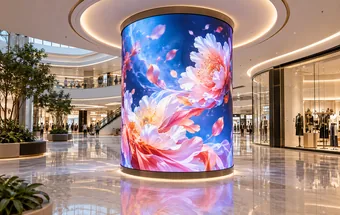
Use bendable modules for curved walls and columns when your design needs a cylinder or an arc.
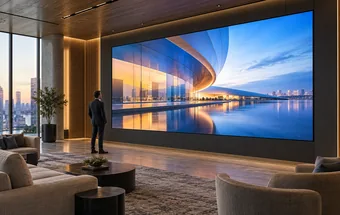
Build a flat video backdrop alongside the sphere for presentations, detailed information and conventional widescreen content.
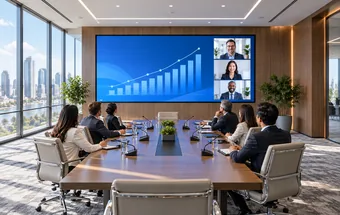
Present small text and detailed images on a flat indoor wall viewed from nearby seats.
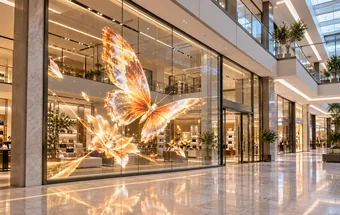
Add advertising to existing glass when the design needs views through the window behind the display.
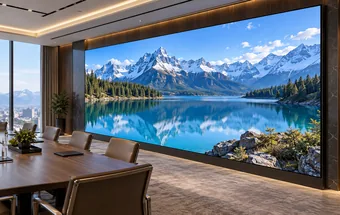
Consider an encapsulated LED surface for accessible flat displays where accidental contact is a concern.